Material Management Slips
With material management slips you can consume,waste or transfer(to another warehouse) items...
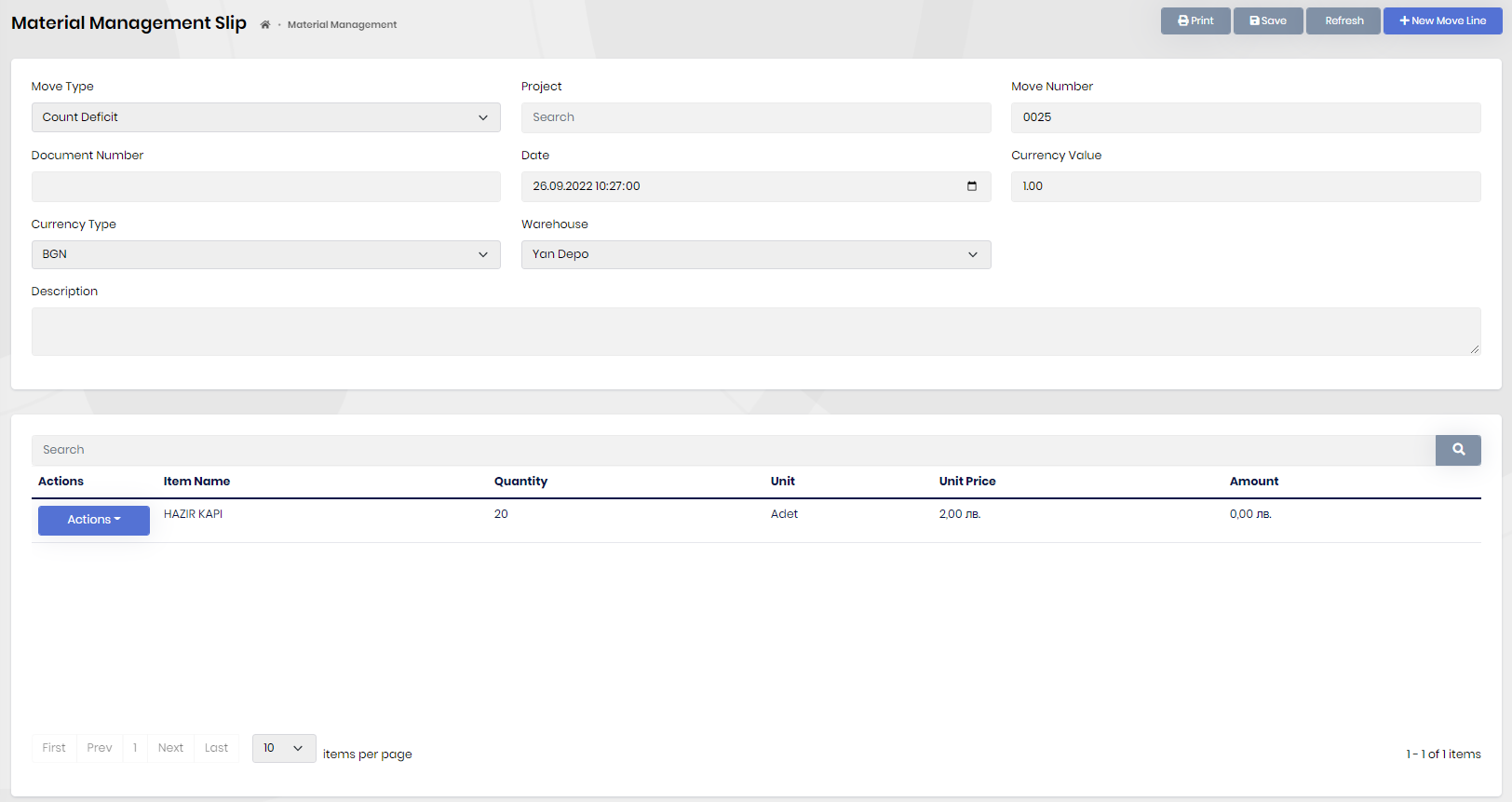
- You can bind the slip to a project to see it on the projects actual cost tab.
- Click the "New Moveline" button to add items.
- For count excess and deficit using count slips are recommended.
Move Types
Consume is when you producing something and you consumed too much. In order to do inventory correctly you can open a consume material man. slip and show it there.
Wastage is when a product is wasted for number of reasons. In order to do inventory correctly you can open a wastage material man. slip and show it there.
Warehouse Transfer is for transfering items between warehouses.
Count Excess is when you do Inventory and count more than what the pdm says. You can open a count excess excess material man. slip to fix it.
Count Deficit is when you do Inventory and count less than what the pdm says. You can open a count excess deficit material man. slip to fix it.